
Side project
Design engineer
Oct 2026
openGym: a gym tracker I own
Redesigning a self-hosted gym tracker around my training, with a simpler live log, strength-first stats and connected AI coaches
Overview
I want to know whether my training is progressing. Before a session, that means checking what I've done this week, what I'm training today and how ready my muscles are for it. During a session, I need to log the next set without working through a screen full of text and controls.
In October 2026, I replaced Hevy with my own copy of openGym, an open-source, self-hosted gym tracker. I redesigned the interface and extended its coach connections around how I train. I'm the designer, the engineer and its only real user. I've used it for two gym sessions so far.
Why leave Hevy
Hevy worked, but I was paying for features I didn't use, and I didn't need the social feed. I wanted my training history on a server I control and an app I could change myself.
I also already had Gainz, a Grok bot I use as my fitness coach. I wanted to discuss a session with it and have it read the workout directly. Connecting my training data to that conversation mattered as much as changing how the app looked.
The starting point
openGym already had routines, guided workouts, progression rules and a Hevy importer. It also had an AI coach and a read-only MCP connector. I could build on its workout engine rather than recreate it.
My setup had to survive the move. I train on ten routines named after cities, split between a gym in Gresik and one in Jakarta. Rest times, warm-ups, supersets and notes all needed to come over. The existing tracking features gave me a base to work from; my changes focused on what I saw while training and how my coaches could use the data.
BEFORE / AFTERA reskin wasn't enough
I started with the visual system: new tokens, a 4-point spacing grid and CSS springs. I brought over the liquid-glass material from Momong, another app of mine, for floating docks and sheets. Content cards stayed solid. When dark mode looked greenish and the shadows felt heavy, I moved to neutral surfaces, contrast and hairline borders.
But the Live Log still felt cluttered. There was too much text, and the controls took up too much vertical space. Home had the same problem. I wanted to read the few things that mattered before training, but the dashboard gave too many things similar weight.
The next pass changed the hierarchy and layout. I explored alternatives in code and kept notes on why I rejected them. A trimmed Live Log still kept steppers on every row. Another direction enlarged the active set but made its controls take even more room. Neither solved the problem I had with the screen.
The design
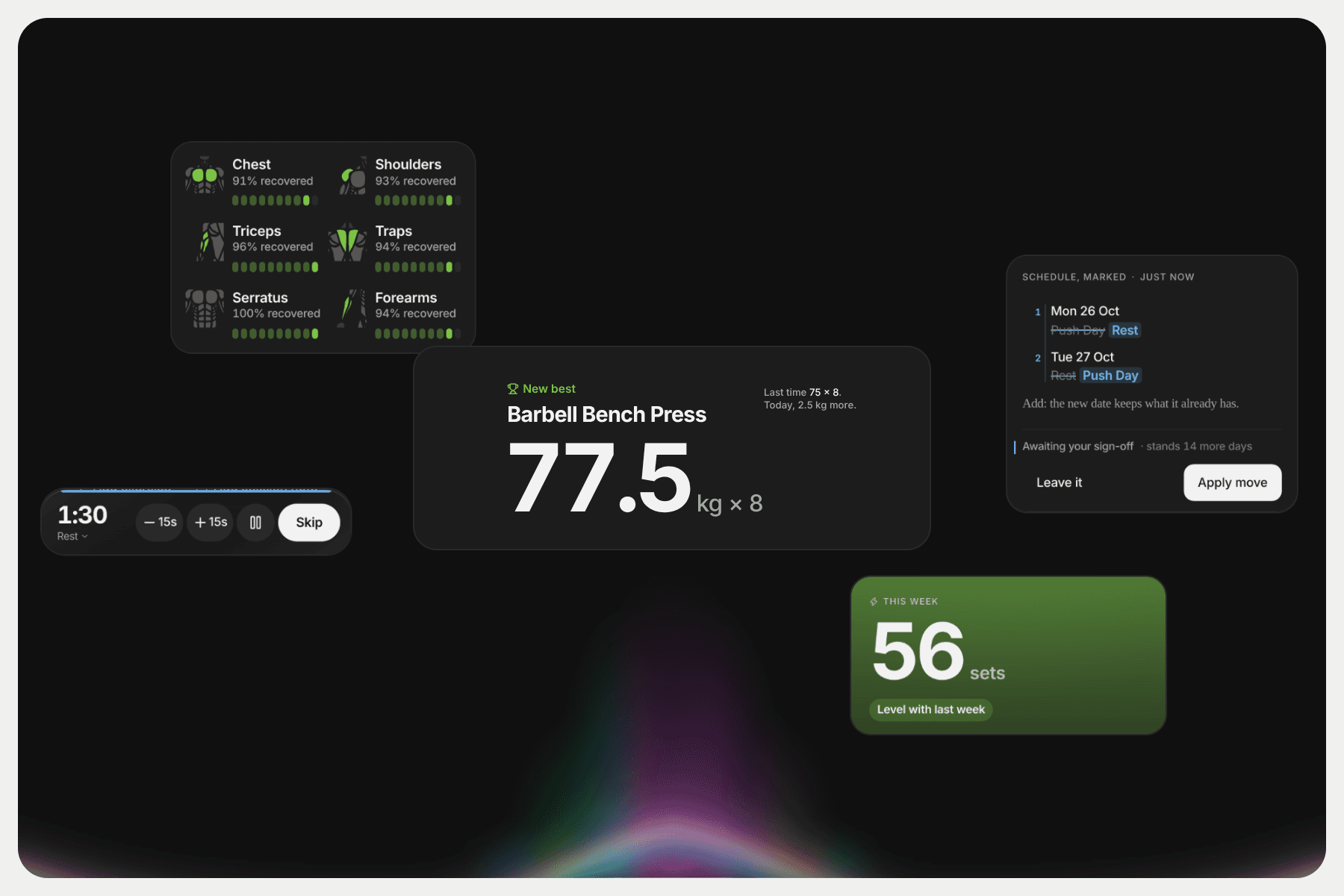
HOMEHome starts with my weekly pace, measured in working sets against the same point last week. Comparing the same weekday keeps Monday from looking behind simply because the week has just started. The header is orange when I'm ahead, green when I'm on pace and blue when I'm behind.
Today's routine and muscle readiness sit below it, close to Start. These are the things I want before the next session. I removed duplicate summaries and the rings instead of giving every metric its own card.
Working sets tell me how much training I've logged this week. They don't tell me whether I'm getting stronger. That question belongs in Stats.
LIVE LOGI kept the existing option to view one exercise at a time and made the set table the focus. Last time's numbers now sit beside today's inputs, matched set by set. I can compare them in the row I'm filling in, rather than read a separate recap above the table.
Weight and rep fields no longer show minus and plus buttons by default. Rest controls live in the floating dock, so the table doesn't grow another row of buttons when a timer starts. The exercise navigation is a compact progress rail; I can tap a segment to jump or open the exercise list from the count beside it.
I rejected named exercise tabs because longer names truncated. The rail keeps navigation short without trying to fit every exercise name across a phone screen.
STATSThe original Stats page put workout counts, streaks and an activity calendar ahead of exercise progress. It had plenty of data, but I had to look through several sections to work out whether my lifts were improving.
I split it into Overview, Strength, Muscles and Body. Overview leads with the change in estimated one-rep max across my lifts, followed by the lifts gaining, slipping or stalling. The detailed exercise charts are still available in Strength.
The headline uses the median percentage change, so one lift with a large increase doesn't dominate the summary. A lift needs at least three sessions in the selected period to count. If there isn't enough data, the screen explains that instead of showing a progress number.
I also replaced the muscle radar with bars and removed summaries already covered by Home. Restyling the old page left the same long scroll, so I changed what appeared together and what came first.
My goal is progressive overload. When a lift stalls, I ask Gainz or the in-app coach to evaluate it. Stats gives me somewhere specific to start that conversation.
COACHopenGym already had an AI coach, text input and proposal cards. I extended it to support a conversation about my training, rather than treating each message as a request to generate a proposal.
I can question a suggestion, add context about recovery and ask for a revision in the same thread. The conversation includes recent training and the proposal we're discussing. It can answer without changing my plan; proposed changes still wait for my approval.
I currently use DeepSeek through the app's compatible API connection. The prompt focuses the coach on fitness, including training, recovery and general nutrition. I also worked on how the conversation feels while waiting, with a thinking state and entrance animations for replies and proposals.
Connecting Gainz
Gainz is separate from the coach inside openGym. It's the Grok bot I already use for fitness discussions, and I wanted to keep using it with my actual training history.
I extended openGym's read-only MCP connection with write operations at the API. Gainz can read saved workouts and create or update routines.
That lets me discuss my training with Gainz while it reads the data directly. The in-app coach gives me another place to have that conversation without leaving openGym.
Shipping it
A push to the main branch runs the tests, builds the app on my server and deploys it, and rolls back automatically if the health check fails. When something in the UX doesn't fit, I open a branch, change it, and try it at my next session.
After two sessions
My routines came over, and I've now trained with this version twice. I can log sessions in my own interface and discuss the saved data with Gainz or the coach in the app. That's enough to say I've replaced Hevy for my own use. It's too early to judge whether these changes help my training over time.
The limitation I notice now is having to remember to open the PWA myself during a workout. My current setup doesn't send the notifications I want. The logging screen is simpler, but getting back to it still depends on me being proactive.